
✨ See what we can do

SEE WHAT SUPER INTERN
CAN DO FOR YOU

Explore real use cases — from scheduling to research, all handled through simple conversation.

📅 Scheduling & Calendar

CROSS-TIMEZONE MEETINGS, ONE MESSAGE AWAY

Coordinate multi-person schedules across time zones via Telegram, and create Google Calendar invites automatically.

16:04

Super Intern

bot

Message
Telegram Chat
Timezone Sync
Calendar Check
Send Invite
More use cases

MORE WAYS TO SUPERCHARGE YOUR DAY

From meeting notes to market research, Super Intern handles it all through natural conversation.

Education

Voice Reminders for Paper Deadlines

Juggling paper submissions and coursework? Just send a quick voice note — Super Intern sets the reminder, breaks down a prep plan, and pings you at the right moments so you never miss a deadline.

🎤 Remind me to submit my ICLR paper in 5 days as that's the deadline
Got it! ICLR submission deadline locked in for May 3, 11:59 PM AoE. ⏰ I'll ping you each day with what to focus on so you're not scrambling at the last minute.
📅 Your 5-Day Submission Plan: Day 1-2: Final experiments + figures Day 3: Polish writing & related work Day 4: Co-author review pass Day 5: Format check + submit (aim for noon, not midnight!)
Perfect. Also remind me 2 hours before the deadline just in case
Done ✅ I'll send a final 2-hour warning, plus daily morning check-ins. Good luck — you've got this! 📝
Voice InputSmart SchedulingDaily Check-insLast-Mile Alerts
Productivity

Meeting Notes & Action Items

Super Intern joins your Google Meet, records and transcribes in real-time. After the meeting, it delivers a summary, action items, and even drafts follow-up emails.

Join this meeting now
Got it! Joining Meeting with Yihuang at 1:00 PM. I'll take notes and send a summary when it wraps up.
📝 Live: Yihuang mentioned Q2 launch timeline is moved to June. Noting this as a key decision.
Meeting ended (47 min). Here's your summary: 📋 5 action items 📧 Draft follow-up email ready 📊 Key decisions documented
Send the follow-up to all attendees
Email sent to 4 attendees ✅ Subject: Action Items from Today's Sync I've also added all action items to your task tracker.
Auto-JoinLive TranscriptionSummaryAction ItemsEmail Draft
Education

Personalized Exam Study Plan

Got a midterm coming up? Tell Super Intern your course, exam date, and current progress — it analyzes the syllabus and builds a day-by-day study plan tailored to your learning style.

I just turned in Assignment 2 and I'm ready to start the midterm. Look at the CS106B schedule and create a study plan. I prefer 2-3 lectures per day, going through notes and practice problems.
Great that you've turned in Assignment 2! Since the midterm is on Monday, April 27, you have exactly 12 days to prepare. The midterm covers everything from the start of the quarter through Recursion and Backtracking — the most challenging part of the first half.
📅 Your 12-Day Study Plan: 🔹 Phase 1: Review & Foundation (Days 1-4) 🔹 Phase 2: Recursion Deep Dive (Days 5-8) 🔹 Phase 3: Final Polishing (Days 9-12) For CS106B, tracing code and writing recursion by hand are the most critical skills.
Looks great. Add daily reminders
Done! ✅ I'll ping you each morning with that day's lectures + practice problems, and check in at night to track progress. Good luck! 💪
Syllabus AnalysisDaily MilestonesAdaptive PacingProgress Check-ins
Daily Life

Voice Grocery List

On your way to the store? Send Super Intern voice messages throughout the day — it collects everything and compiles a clean, categorized shopping list whenever you're ready.

🎤 Oh right, we're out of milk and almost out of eggs
Got it! Added milk and eggs to your list. 📝
🎤 I wanna make pasta tonight, add pasta and tomato sauce
Added! I also noticed you're low on garlic and olive oil from last week — want me to add those too?
Yeah add those. Also need shampoo
🛒 Your grocery list: 🥛 Dairy: Milk, Eggs 🍝 Staples: Pasta, Olive oil 🫙 Sauce: Tomato sauce 🧄 Produce: Garlic 🧴 Personal: Shampoo 7 items total. Ready to shop! 🛍️
Voice InputAuto-CategorizeIncremental AddSmart Merge
Productivity

Deadline Planner & Anti-Procrastination

Tell Super Intern your deadline, and it breaks down the work into milestones with a realistic schedule. It proactively reminds you to stay on track — no more last-minute panic.

I need to finish the use case page by Friday, but I keep procrastinating. Help me plan it out
Got it! Here's your 4-step plan: Tue: Outline structure (30min) Wed: Write core content (90min) Thu: Polish & add visuals (60min) Fri: Final review (20min) I'll remind you each morning!
Perfect, let's go with that
⏰ Wed 9:00 AM Reminder: Today's milestone: Write core content (90min) ✅ Yesterday: Outline — Completed! 📊 Progress: 25% → on track for Friday Ready to start? I'll check in at 3 PM.
I got distracted and didn't start yet...
No worries! Let's adjust: Today: Content (60min) + tomorrow morning (30min) Thu afternoon: Visuals Fri morning: Final review Still doable 💪 Start with just the first section — 20 min. Go!
Milestone BreakdownProactive RemindersProgress TrackingAdaptive Schedule
Communication

Context-Aware Email Drafts

Need to email someone about a specific moment or detail? Super Intern uses your full context — chat history, calendar, recent activity — to draft emails that sound exactly like you.

Draft an email to Alden, my CS106B section leader, asking to see the solution to the practice problem we went over together in our IG this morning.
I've drafted that email! Since I couldn't find Alden's email in your contacts, I created it as an action on your home screen for you to review and send. 📧 Subject: Question about today's IG practice problem (CS106B)
Body: Hi Alden, Thanks for the help in our IG session this morning! Could you share the solution to the practice problem we worked through together? I want to make sure I understand the logic — especially recognizing when a helper function is needed. Thanks, [You]
Also remind me to connect Adam and Armin tonight
✅ Reminder set for 7:00 PM tonight to connect Adam and Armin. Added to your todo list and home screen so you don't miss it.
Context MemoryTone MatchingAction ItemsSmart Reminders
Content Creation

Instant Slide Decks

Upload a paper, doc, or just describe a topic — Super Intern generates a polished HTML presentation ready to share with your team or professor.

Turn this NeurIPS paper into a PPT for my advisor
Analyzing the paper on Embodied Agent Interface... Extracting key arguments, methodology, and results.
Done! 12-slide deck ready: 1. Title & Authors 2-3. Problem Statement 4-6. Methodology 7-9. Results & Benchmarks 10-11. Discussion 12. Q&A Preview it →
Add more visuals to the results section
Updated! Added 3 comparison charts and a performance heatmap to slides 7-9. The deck now has a cleaner visual flow. 🎨
PDF AnalysisAuto-LayoutHTML SlidesKey Insights
Research

Deep Information Search

Ask any question — Super Intern searches across platforms, cross-references sources, and delivers structured, cited answers with context.

What famous paintings appear in Jay Chou's new MV?
Searching across YouTube, Bilibili, art databases, and fan forums...
Found 5 paintings: 1. Klimt's "The Kiss" — Belvedere, Vienna 2. Hopper's "Nighthawks" — Art Institute, Chicago 3. Van Gogh's "Starry Night" — MoMA, NYC 4. Vermeer's "Girl with a Pearl Earring" 5. Monet's "Water Lilies"
Which scenes exactly? Give me timestamps
🎬 Timestamps: 0:42 — "The Kiss" in the ballroom scene 1:15 — "Nighthawks" as background mural 2:03 — "Starry Night" during the dream sequence 2:48 — "Girl with a Pearl Earring" portrait shot 3:22 — "Water Lilies" garden scene Sources: 3 verified fan analyses + official MV
Multi-SourceFact-CheckedStructured OutputCitations
Research

Hackathon & Sponsor Intel

Looking for sponsors, partners, or industry signals? Super Intern researches events across regions and timeframes, identifies recurring sponsors, and surfaces strategic patterns.

Look up hackathons hosted in the SF Bay Area over the last 12 months and identify the major sponsors of each. Make a list of companies that have sponsored 2 or more hackathons.
Searching across hackathon databases, event sites, and sponsor pages from April 2025 – April 2026... 🔍
🏆 Major Hackathons Found: 1. TreeHacks 2026 (Stanford, Feb) 2. Cal Hacks 12.0 (UC Berkeley, Oct) 3. SFHacks 2025 & 2026 (SFSU) 4. Worlds in Action Hack (SF, Mar) 5. Autonomous Agents Hackathon 2026
🎯 Repeat Sponsors (2+ events): • OpenAI — 3 events • NVIDIA — 3 events • Anthropic — 2 events • Google Cloud — 2 events • Meta — 2 events 💡 Insight: AI infra companies dominate sponsorship. Want a contact list for partnerships?
Multi-Source SearchPattern DetectionStrategic InsightsExport to Sheets
Daily Life

Local Weekend Itineraries

Moving to a new neighborhood? Tell Super Intern where you live and how long you've got — it crafts multiple themed itineraries with walking routes, transit, and local gems nearby.

I'm spending the summer at 3333 Mission St, San Francisco. Create 8 different 4-6 hour itineraries for Saturdays/Sundays in the area.
Fantastic location! You're right at the intersection of Bernal Heights, the Mission, and Noe Valley — with easy Muni J Church access to the most scenic transit in the city. 🌉
Here are 8 weekend itineraries: 1. 🥾 Bernal Heights Summit & Brunch 2. 🌮 Classic Mission Experience 3. 🎨 Mural Walk + Dolores Park 4. ☕ Noe Valley Café Crawl 5. 🌊 Ocean Beach Day Trip 6. 🎭 Castro Theater + Dinner 7. 🌳 Golden Gate Park Explorer 8. 🍷 Ferry Building Foodie Tour
📍 Itinerary 1 Detail: 10:00 AM — Walk to Bernal Heights Park, hike to summit 11:30 AM — Brunch at Precita Park Cafe 1:00 PM — Mural alleys around 24th St (Balmy Alley) 2:30 PM — Philz Coffee + walk home Want me to add these to your calendar?
Local KnowledgeTransit RoutingMultiple ThemesCalendar Sync
Finance

Smart Expense Tracker

Turn Super Intern into your personal bookkeeper. Send receipts, photos, or text messages — it logs everything and generates a detailed spending report on demand.

I'm traveling this week. Track all my expenses — texts, photos, everything.
I'm your expense tracker now! Send me amounts, receipts, or photos. I'll auto-categorize and log everything.
Lunch $15, taxi $28
Logged ✅ 🍽️ Food: $15 🚕 Transport: $28 Running total: $43. Keep them coming!
📷 [photo of hotel receipt]
Scanned! 🏨 Marriott Downtown — $189.00 Category: Accommodation Running total: $232. Want a daily summary or wait until trip ends?
Give me a full report
📊 Trip Expense Report 🍽️ Food: $87 🚕 Transport: $156 🏨 Hotel: $378 🎫 Other: $42 💰 Total: $663 Exported to PDF and spreadsheet.
Photo OCRAuto-CategorizeWeekly ReportMulti-Currency
Communication

Draft & Send Emails

Compose, review, and send emails directly through chat. Super Intern matches your writing style and handles follow-ups automatically.

Draft a follow-up email about today's meeting decisions
Here's the draft: Subject: Action Items from Today's Sync Hi team, here are the key decisions from today's meeting...
Make it more concise and add a deadline for each item
Updated draft: Subject: Action Items — Deadlines Included 1. API integration — Due: Apr 18 2. Design review — Due: Apr 20 3. QA testing — Due: Apr 22 Shall I send it?
Looks good, send it
Sent to 6 recipients ✅ I'll auto-follow up if no replies by Thursday.
Style MatchingTemplatesAuto Follow-upMulti-Recipient
Intelligence

Scheduled News Briefing

Set a topic and schedule — Super Intern monitors X, TikTok, LinkedIn, and more, then delivers curated briefings with key signals and trend analysis.

Send me daily AI industry news every morning at 9 AM
Scheduled! I'll monitor X, LinkedIn, TechCrunch, and arXiv. First briefing tomorrow at 9 AM. 🕘
⚡ AI Brief — April 15, 2026 1. OpenAI closed $122B round at $852B valuation 2. Gumloop launched autonomous monitoring 3. Meta open-sourced new multimodal model
💡 Key Signals: • Capital concentration accelerating in frontier AI • Open-source catching up in multimodal • Agent frameworks seeing enterprise adoption surge
Go deeper on the Meta open-source story
Meta released LLaMA-4 Multimodal under Apache 2.0. Key details: • 70B params, competitive with GPT-4V • Supports image + video + audio • Already adopted by 3 major cloud providers Source: Meta AI blog, 14 citations on X
Multi-PlatformScheduled DeliveryTrend AnalysisKey Signals
Daily Life

Weather & Outfit Guide

Get a personalized daily weather briefing with outfit recommendations. Super Intern checks the forecast and tells you exactly what to wear — rain or shine.

Send me weather and outfit suggestions every morning at 8 AM
Done! I'll check weather for Dallas daily at 8 AM. First briefing tomorrow! ☀️
☀️ Dallas — Tue, Apr 15 82°F Sunny, High UV 👕 Light tee + thin pants 🧴 Don't forget sunscreen! ☂️ No umbrella needed Evening drops to 65°F — bring a light jacket if you're out late.
What about tomorrow?
🌧️ Dallas — Wed, Apr 16 68°F, Rain expected 2-6 PM 🧥 Light jacket + jeans ☂️ Bring an umbrella! 👟 Waterproof shoes recommended 80% chance of rain, clearing by evening.
Daily PushLocation-BasedUV IndexOutfit Advice
Events

Wedding Blessing Website

Collecting wedding wishes from friends? Super Intern gathers blessings from a Notion database or group chat, then generates a beautiful animated website to surprise the couple.

Use this Notion database to create a wedding blessing website for my coworker
Reading blessings from Notion... Found 12 entries with names, photos, and messages. ✨
Generating website with: • Waterfall blessing cards • Avatar photos for each person • Background music player • Fireworks animation on load • Responsive for mobile sharing
Website ready! 🎉 Preview it → superintern.app/wedding/sarah-james 12 blessing cards, auto-scrolling, mobile-friendly. Share the link with the couple!
Can you add 3 more blessings that just came in?
Added! Now showing 15 blessings. The new ones from Mike, Lisa, and Tom are live. Layout auto-adjusted. 💐
Notion IntegrationAnimated WebsiteAuto-LayoutOne-Click Generate
Communication

Group Message Digest

Overwhelmed by group chats? Super Intern scans Slack, Telegram, or any group, summarizes what happened, highlights messages mentioning you, and lists action items.

Summarize all messages that @mention me from the past 10 days. List the action items
Scanning 3 groups: #product, #engineering, #general... Found 23 messages mentioning you across 847 total messages.
📌 Your Action Items: 1. Product testing & regression QA (from Sarah, Apr 8) 2. User research cohort management (from Mike, Apr 10) 3. UI/UX copy optimization (from Lisa, Apr 12) 4. Review API docs before Thursday (from James, Apr 14)
📊 Group Activity Summary: • #product: Launch discussion, 3 blockers identified • #engineering: CI/CD migration ongoing • #general: Team offsite planned for May Want me to set reminders for your action items?
Yes, remind me about each one the day before
Reminders set ✅ I'll also flag any new @mentions in real-time going forward.
Multi-PlatformAction ItemsMention TrackingSmart Summary
Social Media

Auto-Post to X

Give Super Intern a topic and it crafts an engaging X post — with hashtags, tone matching, and optimal timing. Review and publish in one tap.

Post about our new AI scheduling feature launch
Here's your draft: 🚀 Just launched: AI-powered scheduling that handles 3 time zones in one message. No more back-and-forth. Just tell your AI intern when you're free. #AI #Productivity #Launch Post it?
Make it shorter and punchier
v2: 🚀 "Schedule a meeting across 3 time zones" Our AI just did it in one message. #AI #Productivity Better?
Perfect, send it
Posted! ✅ 📊 I'll track engagement and notify you if it gets significant traction. Best posting time was used (11:30 AM EST).
Tone MatchingHashtag GenerationSchedulingThread Support
Career

LinkedIn Job Alerts

Super Intern monitors LinkedIn for jobs matching your criteria and sends you a daily digest with title, company, location, and direct links — so you never miss an opportunity.

Find me remote ML engineer roles at Series B+ startups
Got it! Monitoring LinkedIn daily for: • Role: ML Engineer • Stage: Series B+ • Location: Remote First digest tomorrow morning.
📋 Daily Job Digest — Apr 15 1. ML Engineer — Scale AI (Remote) $180-220k 2. Senior ML — Anthropic (SF/Remote) $200-260k 3. Applied ML — Cohere (Remote) $170-210k
3 new matches today. All posted within 24 hours. Want me to auto-apply to any?
Apply to Scale AI and Anthropic
Applications submitted! ✅ I tailored your resume highlights for each role. I'll notify you when there's a response.
Daily DigestCustom FiltersDirect LinksSalary Info
Strategy

Weekly Competitor Analysis → Notion

Super Intern tracks your competitors weekly — product launches, funding rounds, market moves — and automatically organizes the report into your Notion database, sorted by date.

Do weekly competitor analysis and organize it in my Notion
Set up! I'll track competitors across news, Product Hunt, Crunchbase, and social media. Reports every Monday to your Notion.
📊 Week 15 Report — Synced to Notion • Competitor A closed $50M Series B • Competitor B launched Slack integration • Competitor C cut pricing by 30% Organized by date in your database ✅
💡 Key Insight: Market shifting toward multi-platform integration. Competitor B's Slack move signals enterprise pivot. Recommendation: Consider accelerating your integration roadmap.
Add competitor D to the watchlist
Added! Now tracking 4 competitors. I found Competitor D recently raised $20M and hired 15 engineers. Full profile added to your Notion. Next report: Monday 9 AM.
Auto-DiscoveryNotion SyncTimeline ViewWeekly ReportsStrategic Insights
Intelligence

LinkedIn Activity Monitor

Track anyone's LinkedIn activity — posts, reposts, and engagement trends. Super Intern sends you a daily briefing so you never miss a key signal from investors, competitors, or industry leaders.

Monitor Shuzhi Huang's LinkedIn daily — posts, reposts, and new activity
Done! Monitoring Shuzhi Huang (AMMO AI / SuperIntern.ai). Daily briefing at 9 AM. 🔍 Current status: Active in AI Agents and digital workforce topics.
📬 Apr 15 Update: 📝 2 new posts about AI Sprint event 🔄 1 repost on autonomous agents 📈 Engagement up 40% vs. last week 💬 Key quote: "AI agents will replace 80% of repetitive tasks by 2027"
Also monitor Sam Altman and Dario Amodei
Added! Now tracking 3 profiles. I'll include all of them in your daily briefing with comparative engagement metrics. 📊
Daily BriefingPost TrackingTrend AnalysisMulti-Profile
Design

Custom QR Code Generator

Need a branded QR code? Just send Super Intern a link, your logo, and any text — it generates a polished, scannable QR code with your branding baked in, ready to share.
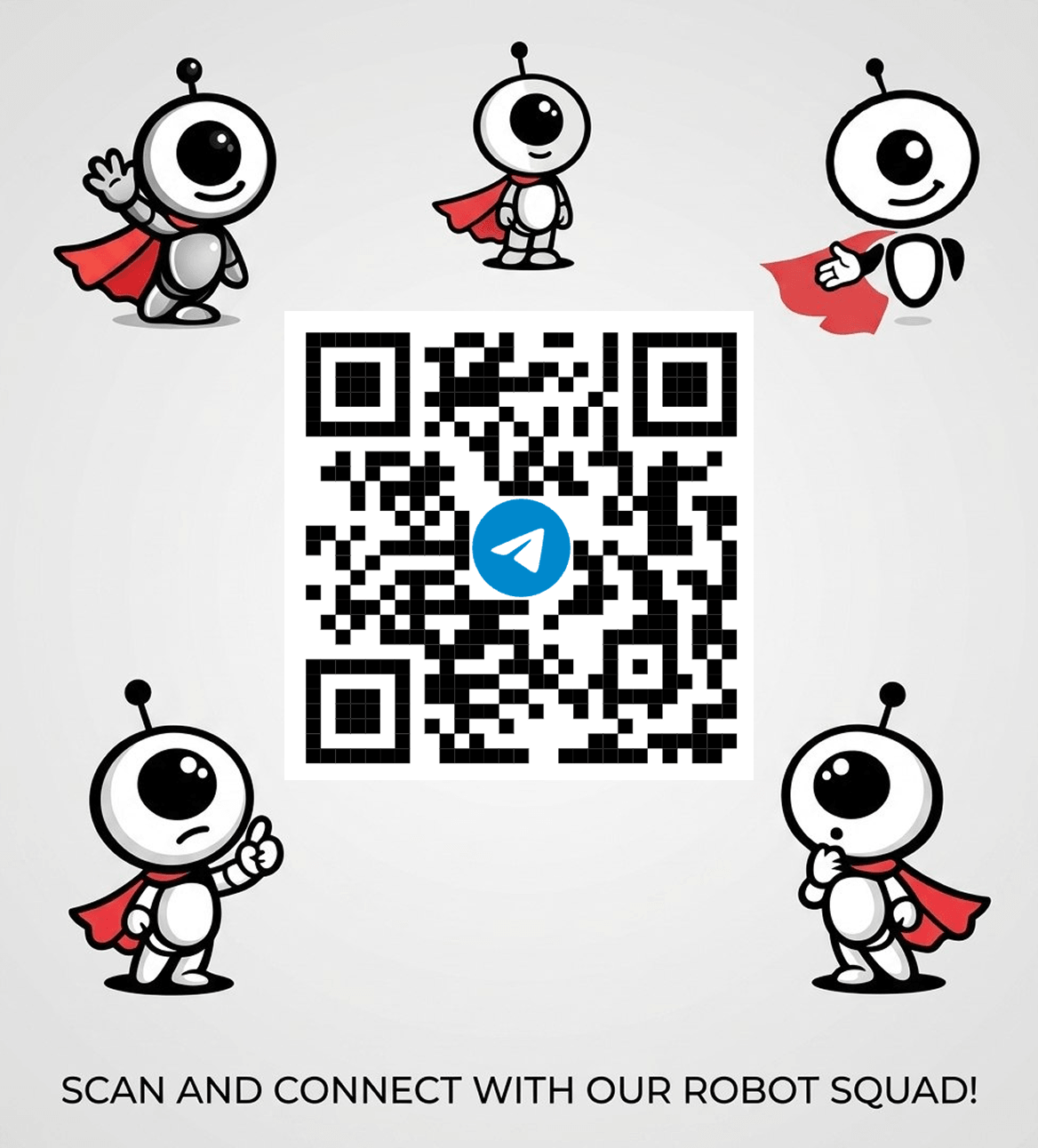
Create a QR code for https://t.me/+IZntYVT_qJUzNTQ0, put the text "Super Intern & friends", and this logo with it, but without interfering the QR code. 🖼️
I'm on it! Generating your QR code with the logo and text now. 🛠️
I've generated your custom QR code! I've included the logo at the top and the text "Super Intern & friends" at the bottom, ensuring they don't interfere with the QR code scan area. Download/View your QR Code
Attachment
Logo EmbedText CaptionScan-TestedBrand Colors
Growth

Beta Cohort Onboarding from Sheets

Share a Google Sheets sign-up list — Super Intern reads each row, drafts personalized onboarding emails, and adds everyone to your CRM with the right tag. Skip anyone you've already contacted.

📷 [Google Sheets: Super Intern beta cohort signup responses] Also draft onboarding emails to these beta cohort sign-ups, except Ali and Zhouhan who I contacted already.
Reading the sheet... Found 6 sign-ups. Excluding Ali and Zhouhan as requested. Drafting personalized onboarding emails for the other 4 now. ✍️
Also added them to your CRM under the `beta_cohort` tag. ✅
📨 Drafted Onboarding Emails: 1. Matteo D'Angelo — Focus: Everyday task management 2. Minhal Mahmood — Focus: Lead generation & research 3. Decency Obiagwu — Focus: Content creation 4. Sriyan Fernando — Focus: Personal AI sidekick Each draft is tailored to what they wrote in the form.
Send them all
All 4 emails sent ✅ I'll track replies and notify you when anyone responds. Action item created on your home screen for follow-ups. 🚀
Sheets ReaderPersonalized DraftsCRM SyncSmart ExclusionReply Tracking
Networking

Event Follow-Up & Personal CRM

After a conference or meetup, just tell Super Intern who you met. It organizes contacts, logs them to your Notion CRM, and drafts personalized follow-up messages.

I just met 5 people at the AI conference. Let me tell you about each one.
Go ahead! I'll log everyone to your Notion CRM with details, context, and follow-up actions. 📋
Arash from Embryo Ventures — interested in our seed round. William from Google — wants a demo.
Logged ✅ 1. Arash (Embryo Ventures) → Action: Send deck 2. William (Google) → Action: Schedule demo Both added to Notion CRM with event context. Keep going!
That's everyone. Draft follow-up emails for each
Drafts ready! 📧 Arash: Personalized intro + deck attachment 📧 William: Demo scheduling with Calendly link Shall I send them now or schedule for tomorrow morning?
Notion CRMAuto-LoggingFollow-Up DraftsEvent Memory