

Security & Privacy
Built with enterprise-grade security
SOC 2 Type I Certified
Independently audited against AICPA's Trust Services Criteria for security, availability, and confidentiality.

GDPR Compliant
Fully compliant with EU data protection regulations. Your privacy rights are protected by design.
Hosted on Google Cloud Platform
Enterprise-grade infrastructure with the same security standards used by Google products.
CASA Assessed
Cloud Application Security Assessment aligned with OWASP ASVS and recognized by the App Defense Alliance.
How we protect your data — and why it stays yours.
We Never Access Your Integration Data
Your emails, calendars, and other connected accounts are only ever touched by your AI agents. No one on our team can see them.
Encrypted at Rest & in Transit
All data is encrypted at rest (AES-256) and in transit (TLS 1.2+), hosted securely on Google Cloud.
Double-Layer Encryption
Cached integration data (e.g. emails, calendar events) gets an extra encryption layer on top. Even our own team cannot read it.
Google Cloud Infrastructure
Everything runs on Google Cloud — one of the world's most secure and compliant cloud platforms.
Strict Audit Process
Need help debugging? We'll ask you to generate a share link — giving us access to that single session and nothing else.
Enterprise-Grade Trust
Trusted by security-conscious enterprises like BNBChain, who completed a rigorous independent assessment before onboarding.
1. We Never Access Your Integration Data
SuperIntern connects to your email, calendar, and other platforms through integrations. All access is agent-only — our team never reads, processes, or retains your raw data beyond what your agents need to complete a task.
We use SuperIntern for our own workflows every day. Your data is yours — we treat it exactly the way we treat our own.
2. Compliance & Certifications
We take compliance seriously and are actively pursuing the following certifications and frameworks:
- GDPR — Compliant. See our Privacy Policy for details on how we handle personal data.
- SOC 2 Type I — Certified. SOC 2 Type II is currently in progress; we will update this page once complete.
Enterprise case study: BNBChain — one of the most security-conscious blockchain platforms — ran a rigorous independent security assessment before becoming a SuperIntern customer. We passed.
3. Data Retention & Automatic Deletion
We keep only what's necessary, for only as long as it's needed.
- Conversations (chat history): Kept for the lifetime of your account unless you delete them. Conversations older than 90 days may be automatically removed.
- Cached platform data (e.g. emails, calendar events, Slack messages): Automatically deleted after 90 days. These are short-lived caches that exist only to give your agents the context they need.
- Other artifacts: Temporary data produced during task execution (intermediate outputs, tool-call logs, etc.) is automatically purged and never retained long-term.
4. Double-Layer Encryption for Platform Data
Cached integration data (such as emails, calendar events, and messages fetched during a session) is protected by a second encryption layer on top of standard at-rest encryption. This means:
- Our team cannot read them — even if they have access to the underlying database.
- Decryption only happens at runtime — data is decrypted only when your AI agent needs it to complete a task.
- This cached data exists solely to provide context to agents — it is not used for any other purpose.
5. Debugging & Access Control
We never access user sessions without explicit permission:
- If we need to investigate an issue, we will ask you to generate a share link — limiting our access to that single session only.
- We will never proactively access your data without your consent.
- All internal access is subject to a formal audit process.
6. Infrastructure & Storage
All user data is hosted on Google Cloud— one of the world's most secure and compliant cloud platforms.
- Encryption at rest: AES-256
- Encryption in transit: TLS 1.2+
- Access controls: Role-based access with multi-factor authentication for all internal systems
- CDN & DDoS protection: Cloudflare web application firewall
For a full list of our infrastructure providers and sub-processors, see our Sub-processor List.
7. Your Data Controls
You own your data and can manage it at any time. Here's how:
Delete All Your Data
Request full deletion of your account and all associated data at any time:
Manage Account & Privacy Settings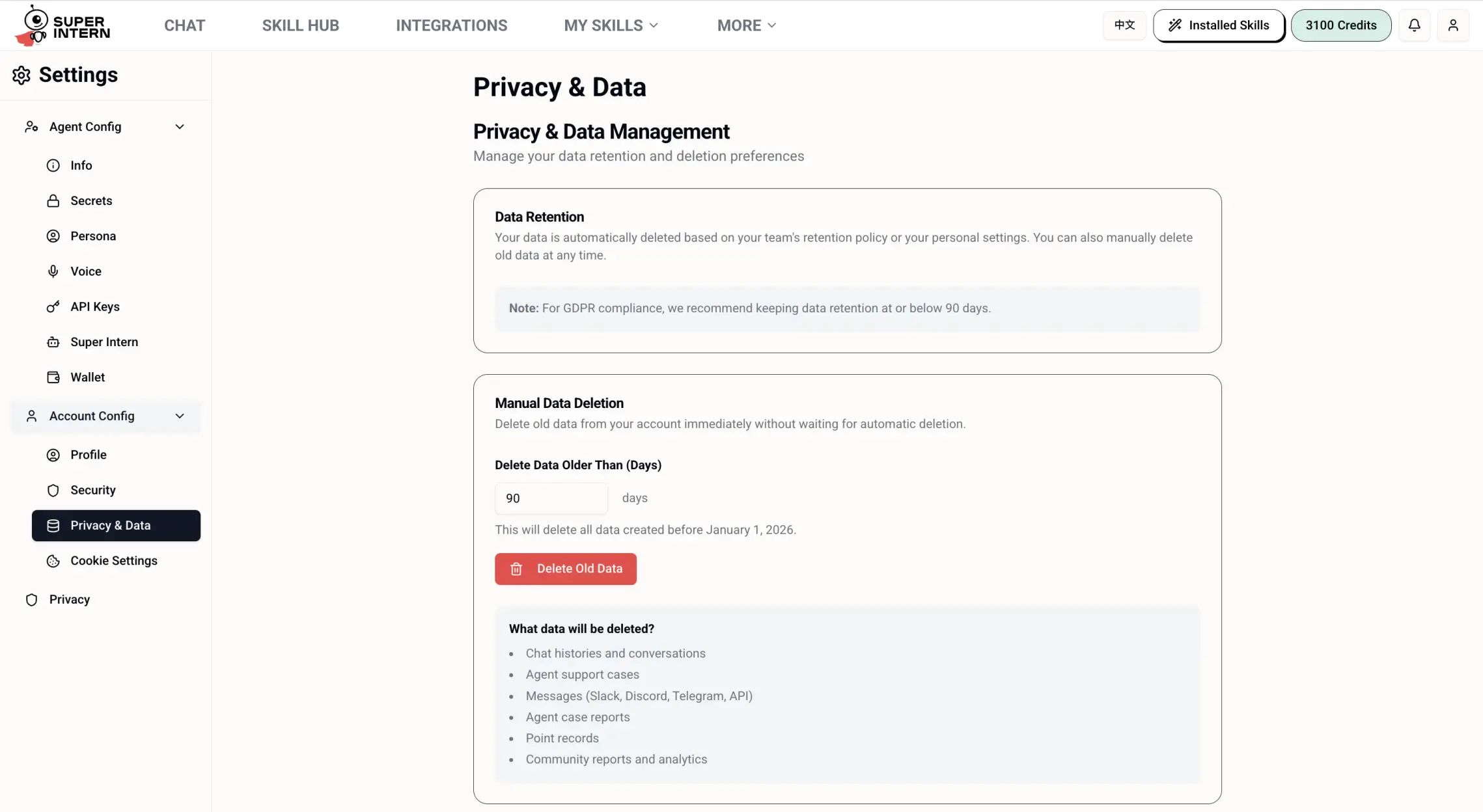
Delete Individual Chat Sessions
Delete any individual conversation directly from the SuperIntern interface:
Open the SuperIntern web app
Go to app.superintern.ai and navigate to your conversation list on the left sidebar.
Hover over the conversation you want to delete
Find the chat session you wish to remove from the sidebar.
Click the three-dot menu (⋯)
A menu icon will appear when you hover. Click it to open the options menu.
Select "Delete"
Click "Delete" from the dropdown menu to permanently delete that conversation. All data is immediately removed from our systems.
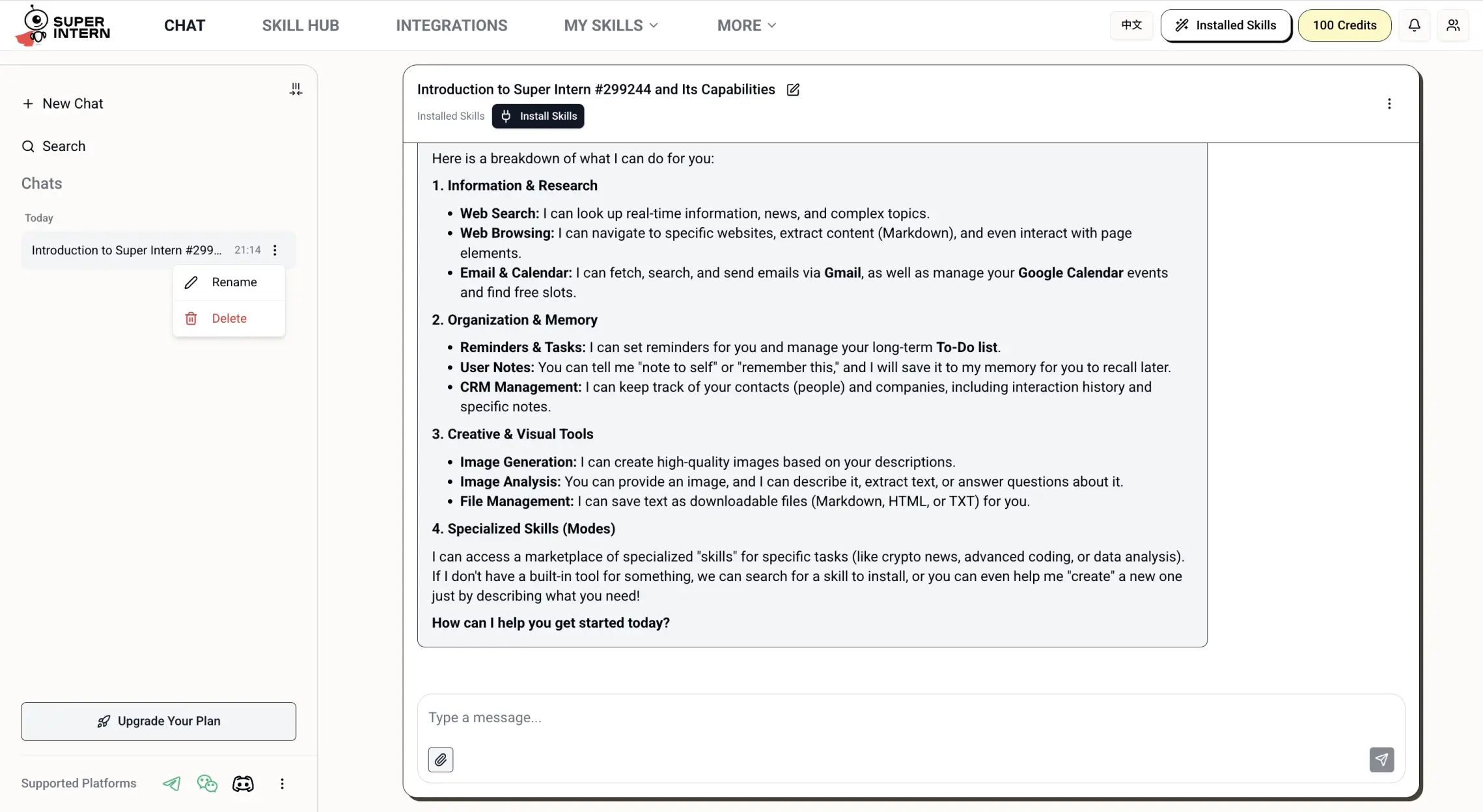
Note: Deleted conversations cannot be recovered. For help with data deletion, contact support@superintern.ai.
8. Related Documents
Questions?
Have a security or privacy question? Reach out directly:
Email: support@superintern.ai
© 2025–2026 Houly Ltd (trading as Ammo AI). All rights reserved.