



logomenu
Mode Share Card
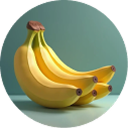
Card Image - Nano Banana.png
Mode: Nano Banana Pro
nano-banana
This is 'nano-banana', Google's most powerful image generation model. Create new images from text, edit photos with simple commands, or merge multiple pictures into one—simply describe what you want to create or change. **Image Uploads:** You can also upload an image directly. If an image is uploaded, it will be automatically referenced as "this image" in your subsequent commands. Usage examples: Create a new image: > <@<intern_id>> Generate an image of a cat sitting on a laptop. Edit an existing image: > <@<intern_id>> Edit this image: remove the background and make it transparent. Merge multiple images: > <@<intern_id>> Merge these two images: place the moon behind the mountain.

nanobanana
How to Use?Send/mode nanobananato your Super Intern

Mode: Nano Banana Pro

@Official
60 connections
0.0(0)

This is 'nano-banana', Google's most powerful image generation model. Create new images from text, edit photos with simple commands, or merge multiple pictures into one—simply describe what you want to create or change. **Image Uploads:** You can also upload an image directly. If an image is uploaded, it will be automatically referenced as "this image" in your subsequent commands. Usage examples: Create a new image: > <@<intern_id>> Generate an image of a cat sitting on a laptop. Edit an existing image: > <@<intern_id>> Edit this image: remove the background and make it transparent. Merge multiple images: > <@<intern_id>> Merge these two images: place the moon behind the mountain.

Use This Mode
Share Mode Card

How To Use

Step 1
Invite Super Intern to your group chat (superintern.ai) if not there yet
Invite to DiscordInvite to TelegramInvite to Slack
Step 2
Copy & send to your Super Intern in chat
How to use step 2
/mode nanobanana
Copy Install Code
Bring AI to your Group Chat
Start withSuper InternToday!
Super Intern Logoby AMMO
© 2025 Super Intern. All rights reserved.Privacy Policy