AI Personal Assistant for Teams: One for Everyone, Inside the Apps You Already Use
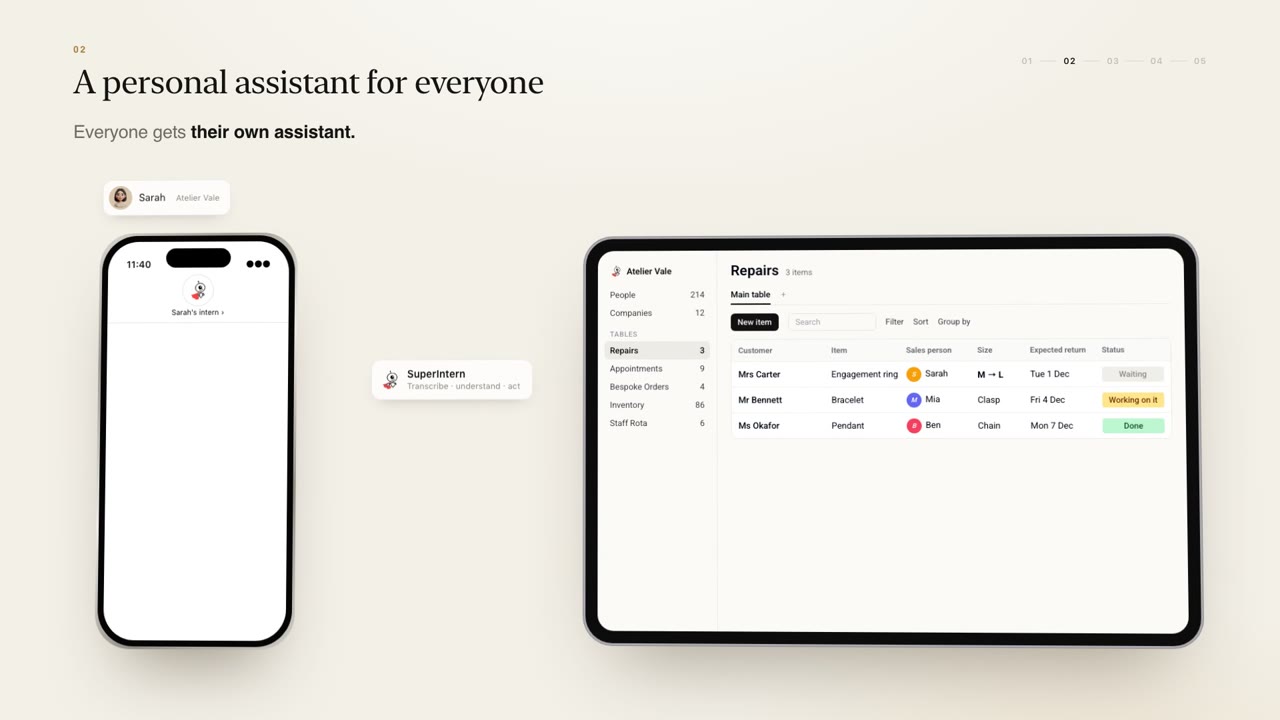
Give everyone on your team their own AI personal assistant inside WhatsApp, Telegram, Slack and email, turning voice notes into CRM updates and drafting replies in their tone.
An AI personal assistant for teams gives every person in a business their own assistant that knows their clients, calendar and writing style. With SuperIntern, each assistant lives inside the apps your team already uses, such as WhatsApp, Telegram, Slack, Gmail and Outlook, so nobody has to learn new software, and every assistant shares one company brain.
One assistant per person, one shared brain
Most AI tools are built for one user at a time. That works until a colleague needs to know what you agreed with a client yesterday. SuperIntern takes a different approach: everyone on the team gets their own assistant, tuned to their own clients, calendar and style, and every assistant writes to the same company brain of shared records, knowledge and history.
When Mia updates a client record through her assistant, Tom's assistant knows about it too. You can see how the assistants fit with the rest of the AI team in the assistants section of the home page.
No new software to learn
A new dashboard means new logins and new habits, and people often drift back to what they did before. SuperIntern avoids that by living in the apps people already use:
- Telegram, WhatsApp, WeChat, Discord and Slack, with iMessage coming
- Gmail and Outlook for email
Your team talks to their assistant the way they already talk to colleagues.
Voice notes that turn into work
People in a growing business are often on the move, and typing up notes afterwards is the job that gets skipped.
With SuperIntern, one voice note can become several pieces of work at once:
- CRM updates, such as a new contact or a change to a client record
- To-dos and reminders with the right date
- Messages to teammates who need to know
In the demo on our home page, a user says: "Remind me to call James Friday. And add Priya from Northwind." The assistant sets the reminder and adds the contact. Both land in the shared company brain.
JP McCormack, Founder & CEO of Springvale Estates, puts it simply: "I use it for everything from managing emails and follow-ups to research, meeting preparation and turning ideas or voice notes into social content."
Email replies in your tone, sent only by you
SuperIntern drafts replies in your own tone, using what it knows about the client and the conversation so far. Each time you edit a draft, it learns from the change, so the next one needs less work.
It never sends without you. Assistants draft, people decide. You stay in control of every message that leaves your account, and the time you save comes from editing a good draft rather than writing from a blank page.
Meetings, notes and the follow-up
Meetings create work that often goes undone: notes nobody writes up, actions nobody owns, a follow-up email that slips to next week. The assistant can join your meetings, take notes and write the follow-up for you to review.
Those notes go into the company brain alongside the client record, so the next person who speaks to that client knows what was said. If you want the follow-up to happen automatically on a pattern, for example a summary to the client every time a meeting ends, you can describe it in a message and turn it into a DIY pipeline.
A day with the assistant
Helen runs a small agency. On the train in, she asks her assistant on Telegram what is on today and who is waiting for a reply. It lists her meetings and drafts three email replies, which she edits and sends. After a client call, she records a voice note; the assistant updates the CRM, sets a reminder for a proposal and lets her colleague know. In the afternoon it joins a meeting, takes notes and drafts the follow-up. At no point does Helen open a new app.
How you get one
Each SuperIntern is built around your business by the SuperIntern team, then hosted and improved for you. It starts with a free 30-minute consultation with the founding team, then a pilot on one real workflow, often a person's inbox, run with your team for about two weeks. After that it rolls out to the whole team. There is no price list: pricing is agreed after the pilot and tied to your team and the value delivered.
SuperIntern is SOC 2 Type I, GDPR compliant, hosted on Google Cloud and CASA assessed. Answers are permissioned by role, and your data never trains anyone else's model.
FAQ
Q: What does an AI personal assistant for teams do? A: It gives each person their own assistant that knows their clients, calendar and style, handles voice notes, drafts email replies and writes meeting follow-ups, all sharing one company brain.
Q: Do we need to install a new app? A: No. The assistant works inside Telegram, WhatsApp, WeChat, Discord, Slack, Gmail and Outlook, with iMessage coming.
Q: Will it send emails on my behalf? A: It drafts replies in your tone and learns from your edits, but it never sends without you.
Q: Can it take meeting notes? A: Yes. It joins meetings, takes notes and writes the follow-up for you to review, and the notes are saved to the shared company brain.
Q: Can colleagues see my assistant's work? A: Work such as CRM updates and notes goes into shared records, and answers are permissioned by role, so people see what their role allows.
See it on your business
Personal assistants work best alongside a shared memory, so read about AI CRM and auto reports next, or browse our use cases. To see one built around your team, book a free 30-minute consultation.